Free, keyless and built to keep working.
ByteBreaker is a free Roblox executor for Windows. No key system, no link shortener, no account. Open it, inject, and run your scripts.
The focus is reliability: it gets updated quickly after every Roblox update, it doesn't crash mid-session, and it behaves the same every time you open it.
- Status
- Working
- Version
- 1.4.814
- sUNC
- 79%
- Detection
- Undetected
- Key system
- None
- Price
- Free
- Platform
- Windows 10 / 11
- Downloads
- 520,000+
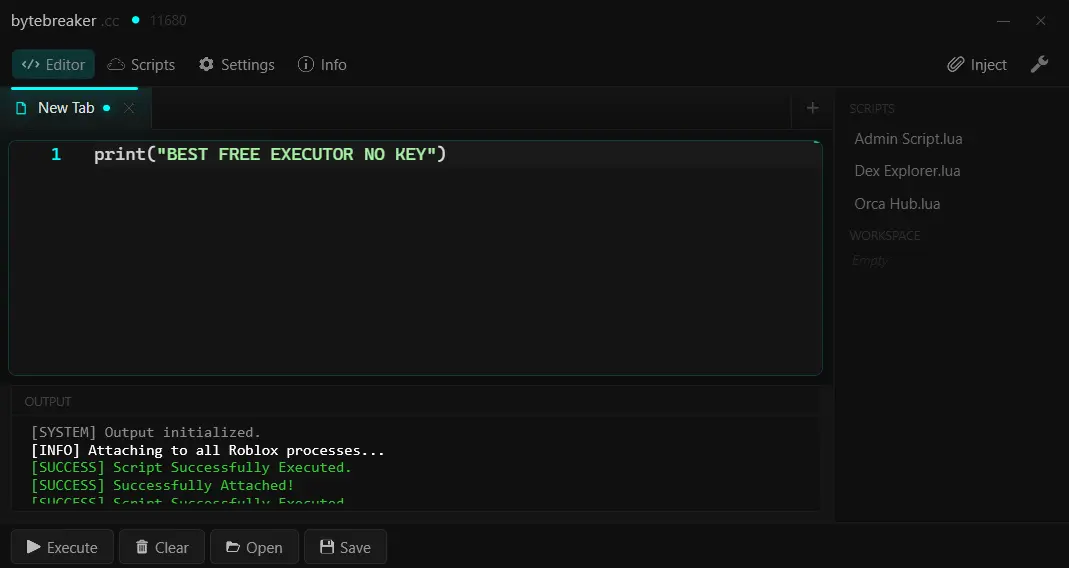
What you get
Script editor
Lua editor with syntax highlighting, autoexec support and workspace folders that persist between sessions. Shortcuts: Ctrl+Enter execute, Ctrl+S save, Ctrl+O open.
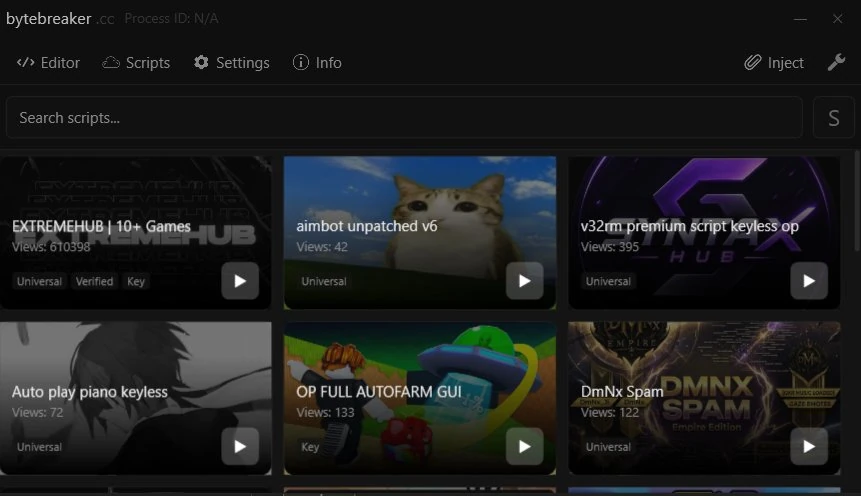
Script hub
Hundreds of community scripts built in, sorted into Popular, Top rated, New and Universal. Filter by No key or Verified, and copy any script with one click.
Sidebar and file list
Right-click a script to execute, load or delete it. Auto-hide the sidebar for a bigger editor and hover the right edge to bring it back.
Custom theme
Pick an accent color in Settings and it applies everywhere: editor, script hub and info. Settings and window size are kept after updates.
Decompiler
A full Lua decompiler is included, so you can inspect game scripts directly from inside the executor.
Status and alerts
A status dot shows the real state (grey: Roblox closed, amber: open, color: attached), and banwave alerts are built in so you know before you inject.
sUNC score
sUNC is the standard compatibility test for executor functions. 79% covers the vast majority of public scripts, from universal hubs to game-specific ones. A failed test doesn't always mean a function won't work, only that it didn't pass sUNC's checks.
Up and running in two minutes
- 1
Download and extract
FileDM shows optional offers before giving you the ZIP. Extract it once downloaded.
- 2
Run as Administrator
Right-click the launcher and run it as Administrator. The external injector needs it to attach to Roblox.
- 3
Close Roblox first
Fully close any open Roblox session before injecting. Open sessions cause conflicts.
- 4
Inject and script
Open Roblox, join a game and click Inject. If something fails, install the fixes below.
Antivirus flagging it? Read why these are false positives.
- Platform
- Windows 10 / 11
- RAM
- 2 GB minimum
- Processor
- 1.0 GHz+
- GPU
- DirectX compatible
- .NET SDK
- 6.0 or newer
- C++ Runtime
- 2015-2022
Crashing or not working? Installing these usually fixes it.
- WebView2 RuntimeScript editor fix
- Visual C++ AIO (x86)Crash on inject
- .NET SDKMicrosoft
- .NET FrameworkMicrosoft
- C++ RedistributablesTechPowerUp AIO
Watch the full setup
Recent updates
-
v1.4.814
Big quality update. Your settings are kept from now on.
New
- Redesigned Settings with an accent color picker. The color applies to the editor, script hub and info.
- Script hub sections: Popular, Top rated, New, Universal.
- Script hub filters (No key, Verified) and a Copy button on every script.
- Auto-hide sidebar for a bigger editor. Hover the right edge to show it.
- Shortcuts:
Ctrl+Enterexecute,Ctrl+Ssave,Ctrl+Oopen. - Right-click a script in the sidebar to execute, load or delete it.
Improvements
- Faster startup.
- Settings and window size are kept after updates.
Fixes
- The status dot now shows the real state (grey: Roblox closed, amber: open, color: attached).
- Fixed the decompiler staying open after closing ByteBreaker.
- New build released. V2 discontinued. ByteBreaker is now a single version.
- Updated to the latest Roblox version.
- AutoExec and workspace now working.
- Bug fixes.
- Updated to the latest Roblox version.
Common questions
Is ByteBreaker safe to use?
Yes. ByteBreaker is protected by Themida, which causes some antivirus tools to flag it. Not because it contains malware, but because Themida hides the binary to prevent decompilation. All detections are false positives. You can verify it on any sandbox analysis platform.
Is it completely free?
100% free. We sustain development through FileDM, which shows optional offers before the download. No key, forever.
Does it work on Mac or mobile?
Windows only. Mac and mobile support is not planned, since Roblox injection on those platforms isn't feasible with the current architecture.
It's not attaching, what do I do?
Run it as Administrator. Fully close Roblox, reopen it, join a game, then click Inject. If it still fails, install the fixes. Still stuck? Ask in the Discord.
Will I get banned?
ByteBreaker is currently undetected, but no executor is 100% safe forever. Use an alt for public server scripting and check the live detection status before injecting.